
Professional Multi-Currency Accounting Application with 20+ Languages support and Advanced Export features
Complete Accounting Solution
Professional Multi-Currency Accounting Application with 20+ Languages support and Advanced Export features
Watch Tutorial Videos
Learn how to use all features with our comprehensive video tutorials
Visit YouTube Channel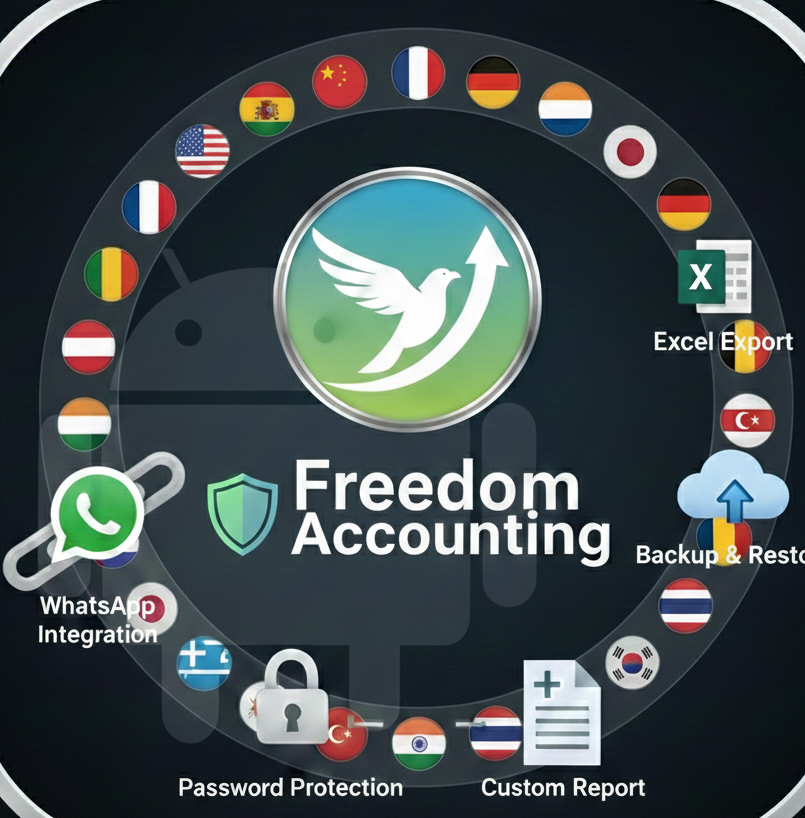
Core Accounting Features
Complete accounting system with automatic debit/credit validation
Handle transactions in multiple currencies with real-time conversion
Manual and template-based journal entry creation
Complete chart of accounts with hierarchical categories
Generate balance sheets, profit & loss statements
Create, send, and track professional invoices
Mobile & Technology
Optimized for tablets and smartphones
Work without internet connection
Native Android application with WebView integration
SQLite database with optimized queries
Professional Export Features
Export complete accounting data to Excel spreadsheets
• Multi-sheet workbooks • Filtered exports • Format preservedShare account statements directly via WhatsApp
• One-click sharing • Formatted messages • Bulk messagingUniversal spreadsheet format for all applications
Generate reports optimized for printing
20+ Language Support
Serve clients worldwide in their native language with full localization support
Special Language Features:
Security & Administration
Secure login with encrypted password storage
Software license validation system
Session-based authentication system
Fix and validate database issues
Track all changes to financial data
Automatic backup to Android storage
Business & Client Management
Store client information with multiple contact methods
Categorized accounts (Personal, Company, Vendor, Customer)
Set credit limits for customers
Configure payment terms for each account
Categorize and monitor business expenses
Track income from multiple sources
Advanced Features
Powerful search across all transactions and accounts
Filter by date, amount, account, currency, and more
Professional accounting calculator
Categorize transactions with custom tags
Visual charts and graphs for financial analysis
Get alerts for important financial events
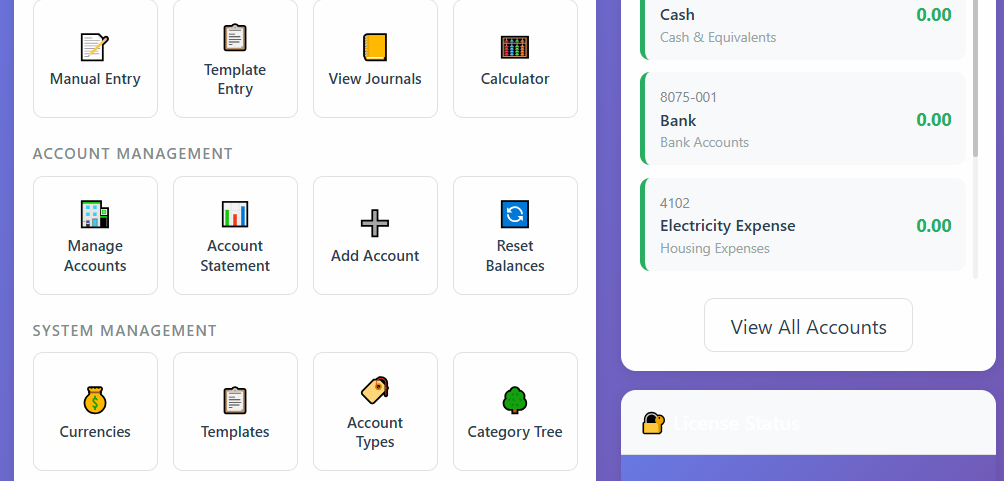
Dashboard View
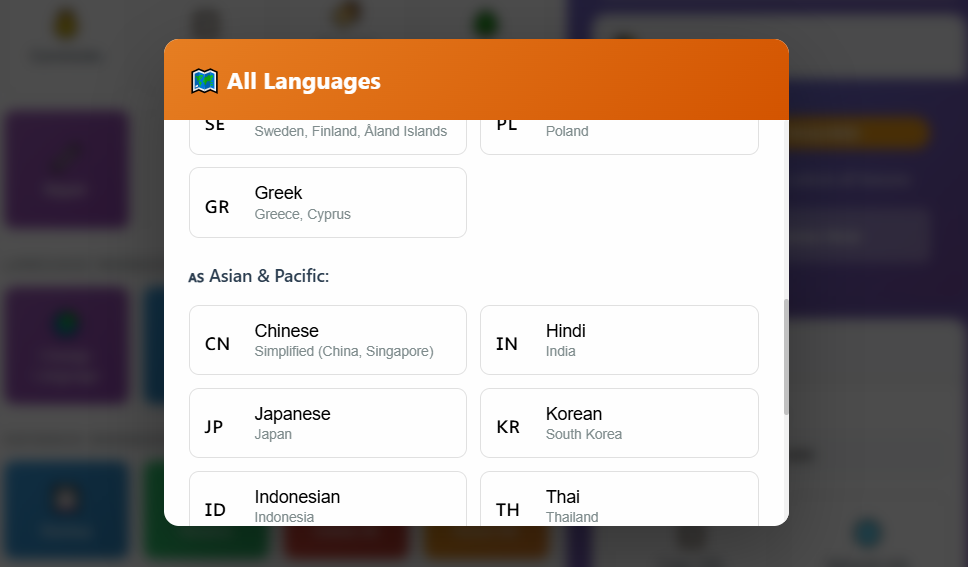
Multi-Language Interface
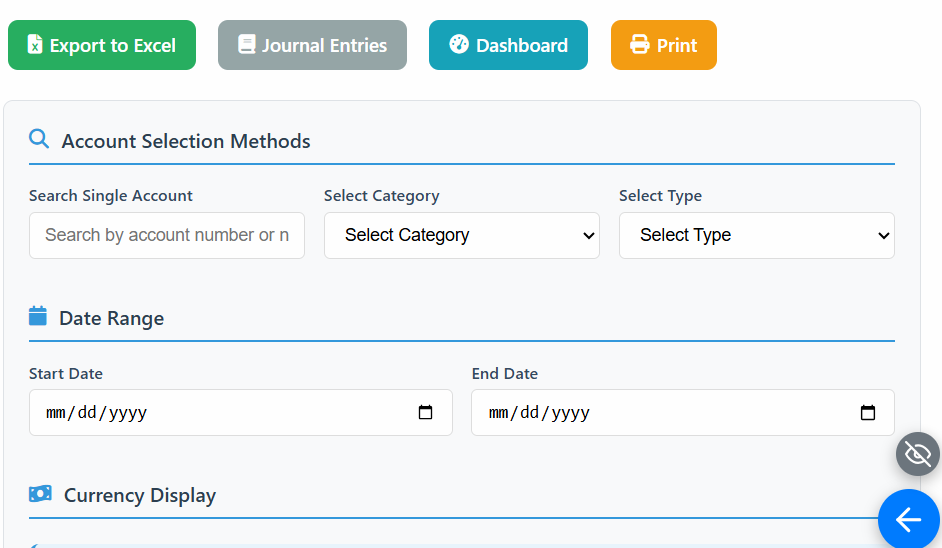
Excel Export
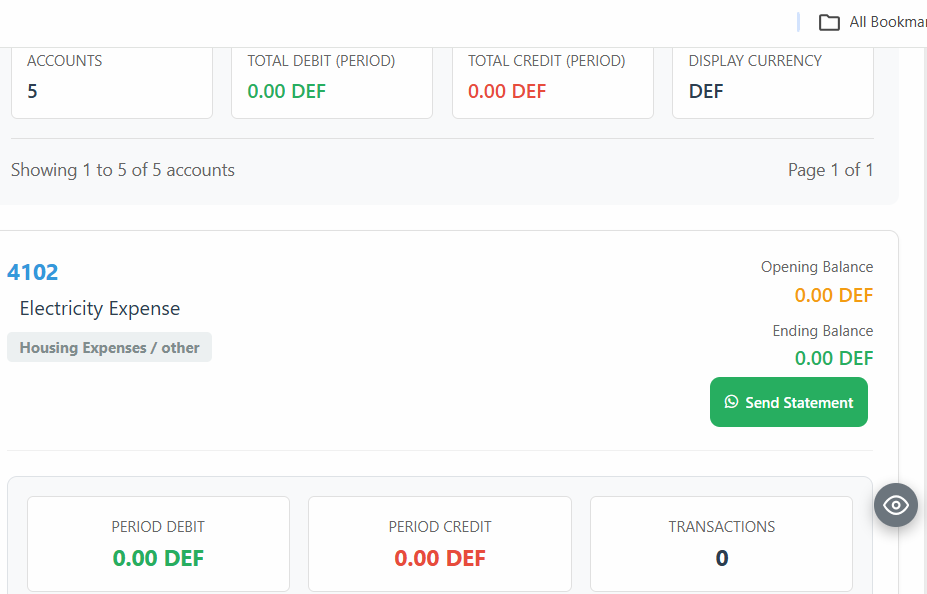
WhatsApp Integration
Frequently Asked Questions
Find answers to common questions about Freedom Accounting. Each answer includes helpful video tutorials.
Frequently Asked Questions
Watch video answers on our YouTube Channel
Freedom Accounting uniquely combines 20+ languages with RTL support, true offline operation, WhatsApp integration, and multi-device access. Unlike competitors, it works completely offline while offering professional export features like Excel.
Your Accounting, Truly in Your Hands: Whether you're at the office on a computer, traveling with your Android device, or checking numbers on a borrowed tablet, Freedom Accounting gives you complete control over your finances from any device, at any time.
Cross-Device Synchronization
Start on mobile, continue on desktop—your accounting travels with you.
Your accounting data is not locked to one device. Access your financial information:
- On your Android phone or tablet (offline or online)
- On any computer (Windows/Mac/Linux) via web browser
- On iOS devices (iPhone/iPad) through browser access
Simply use the same login credentials on any internet-connected device to access your synchronized accounting data. Your dashboard, reports, and tools remain consistent across all platforms.
Our multi-currency system allows you to handle transactions in multiple currencies simultaneously. The software automatically converts amounts based on current exchange rates and maintains separate ledgers for each currency. You can also set custom exchange rates for specific periods.
Yes! Freedom Accounting is designed as a fully offline-first application. All your financial data is stored locally on your device in a secure SQLite database.
When is an internet connection needed?
The app only requires internet in these specific cases:
- License Renewal: A quick, 2-second verification every 7 days.
- Export Features: When you choose to export reports (e.g., to Excel) or share data via WhatsApp.
For all other tasks—daily accounting, reporting, and management—the app works 100% offline.
No registration required for testing! You can use Freedom Accounting immediately.
What Works in Trial (100 transactions):
- ✅ All Core Accounting Features
- ✅ Multi-Currency Support
- ✅ 20+ Languages with RTL
- ✅ Excel Export (Premium feature)
- ✅ WhatsApp Integration
- ✅ Financial Statements & Reports
- ✅ Mobile App Access
What Requires License (Premium Features):
- ❌ 💾 Backup
- ❌ ⬆ Restore
- ❌ 🔄 Reset Balances
- ❌ 📊 Custom Reports
- ❌ 🚀 Run Reports
Note: These advanced management features require a purchased license. Everything else works fully until 100 transactions.
Get Full Access: Purchase a license to unlock all premium features and remove the 100-transaction limit.
Follow these steps to purchase and activate your license:
- Go to your app and press Buy, then copy the ID shown.
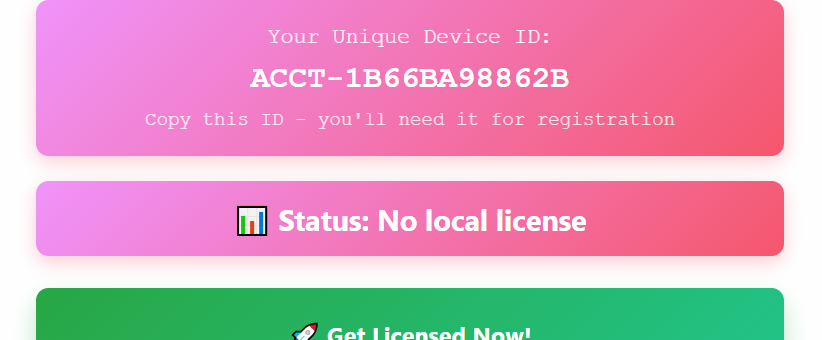
- Go to https://saepco.net/auth/login.php to access your dashboard.
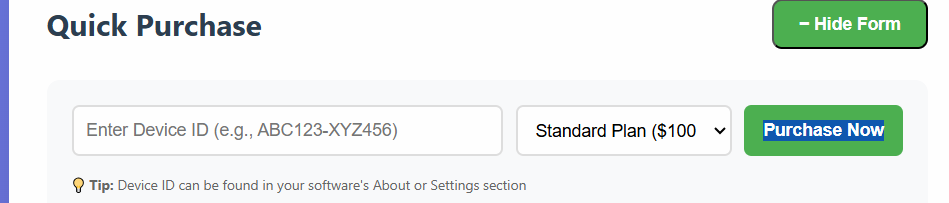
- Click Quick Purchase, paste the ID in the box, and click Purchase Now.
- Return to your app, press Buy again, enter the same email in the box, and press Check License.
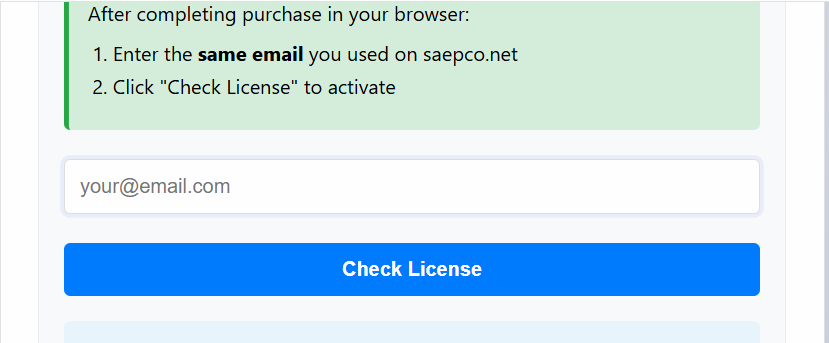
Important Note: After completing the purchase, we will send you an email with payment instructions. You have two weeks to complete the payment. If payment is not received within this period, the app will be automatically blocked.
Transferring License: If you uninstall the app or move to a new device, you can transfer your ID in your dashboard on the site. Press Transfer and enter your new ID.
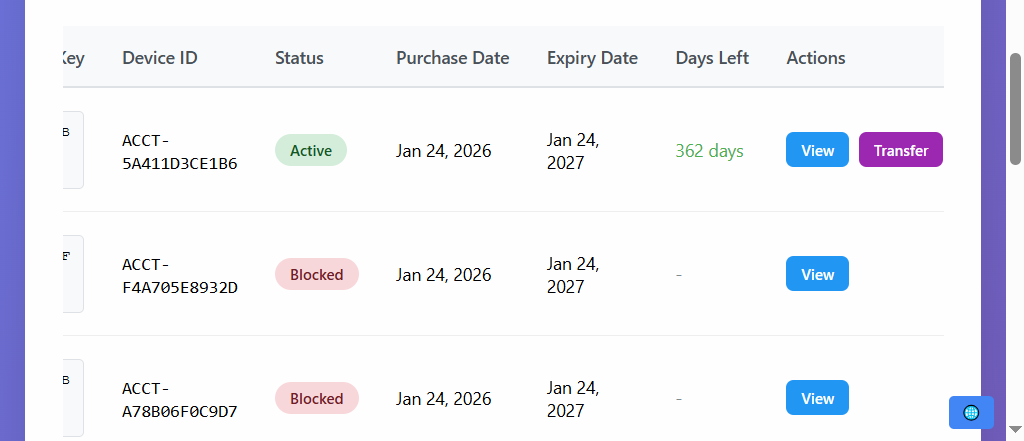
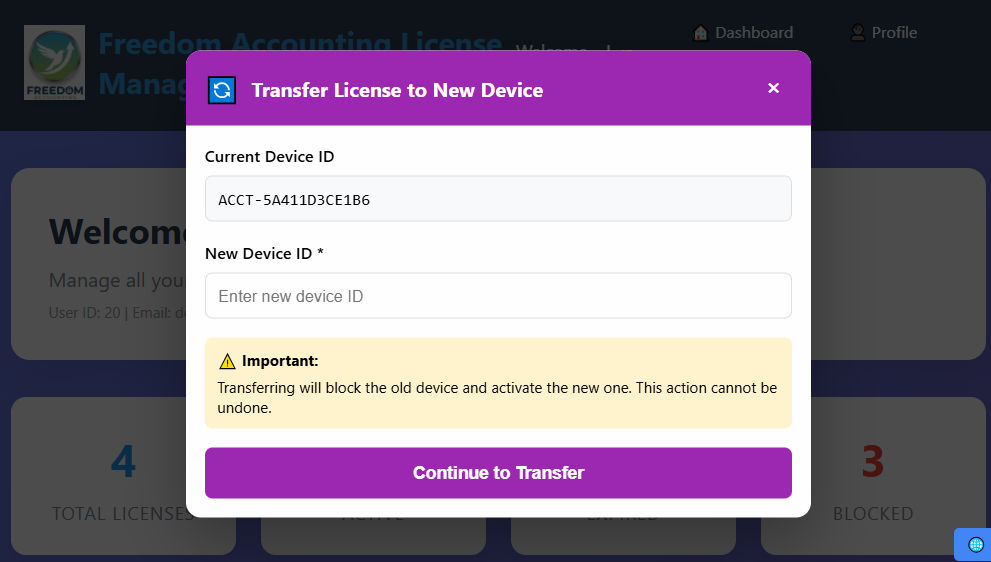
Your data is protected with multiple security layers: password encryption, license validation, and local storage. All data stays on your device unless you choose to export it. We also provide backup and restore functionality to protect against data loss.
Technical Limitation: Advanced features like WhatsApp sharing, printing, and Excel export are currently only available in the web browser version, not in the mobile app.
📱 Mobile App Limitations vs 🌐 Browser Capabilities
In Mobile App
Mobile apps have restricted access to device file system for security reasons
Apps can't open native print dialogs or generate PDFs like browsers can
Cannot directly open WhatsApp or other apps with file attachments
In Web Browser
Can download Excel files, PDFs, and save documents directly
Access to browser's print dialog and PDF generation capabilities
Can open WhatsApp with pre-filled messages and file attachments
🔍 Technical Explanation: Why This Happens
Security Sandboxes
Mobile apps run in isolated "sandboxes" for security. They cannot access other apps (like WhatsApp) or the file system freely. Browsers have special permissions and APIs that apps don't have.
JavaScript & APIs
Features like printing and file downloads require specific JavaScript APIs (window.print(), Blob API, download attribute) that only work in full web browsers with proper security contexts.
Platform Restrictions
iOS and Android impose strict limitations on what mobile apps can do, especially regarding file system access and inter-app communication. Browsers bypass these through web standards.
🎯 Real-World Examples
Printing a Report
In App: Not possible ❌
In Browser: Uses window.print() → Opens print dialog → Generates PDF ✅
WhatsApp Sharing
In App: Cannot attach files or open WhatsApp directly ❌
In Browser: Uses whatsapp://send URL scheme → Attaches PDF → Opens WhatsApp ✅
Excel Export
In App: Cannot save .xlsx files to device ❌
In Browser: Uses <a download> attribute → Downloads .xlsx file → Saves to Downloads folder ✅
🚀 The Solution: Use Browser Instead
Your data and account are exactly the same in both places. Just access via browser to unlock all features:
Access your dashboard through any browser:
http://your-server-address:5000
Find your exact address in the app under "🌐 Network Access"
💡 Simple Analogy
Think of the mobile app as a mobile-optimized view (like a simplified mobile website) that's great for viewing and basic tasks.
Think of the browser version as the full desktop application with all tools and features available.
Same data, same account - just different access methods with different capabilities!
Quick Answer:
For printing, WhatsApp sharing, or Excel export → Use your web browser. We recommend Google Chrome for the best experience.
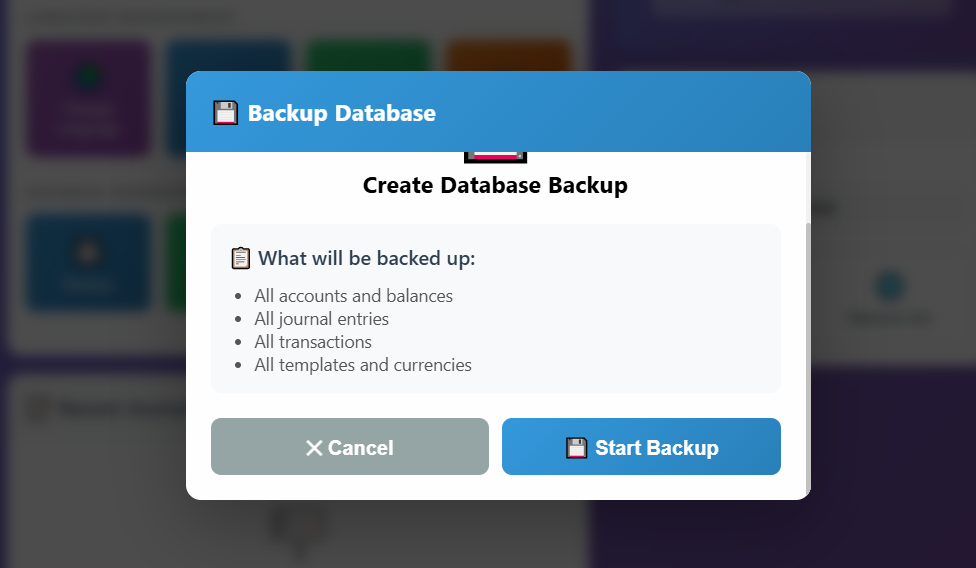
Backup and restore is simple and built directly into the app. Your backups are automatically saved locally, and you can easily transfer them to external storage.
Backup Your Data
Press Backup Button
Click the "Backup" button in your app
Automatic Save
App automatically creates backup in:
Documents folder
Optional: Save Externally
Copy backup file to hard drive, USB, or cloud storage for extra safety
Restore Your Data
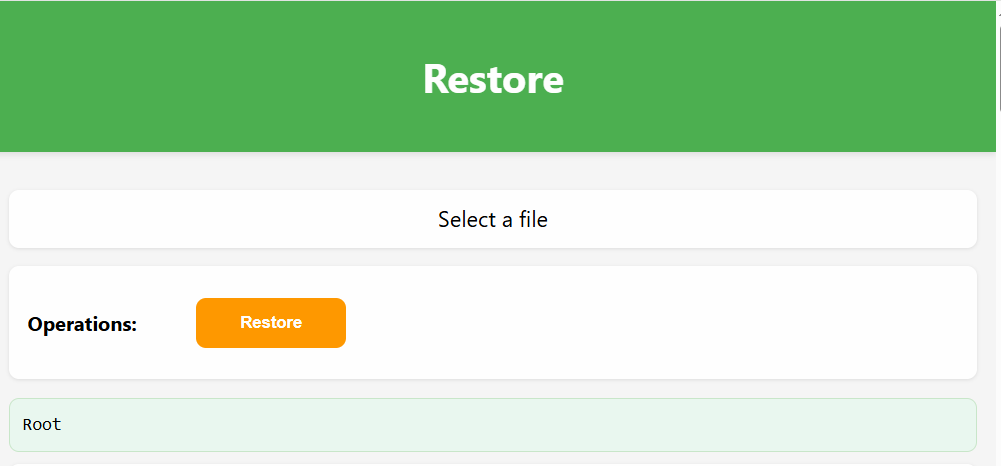
Press Restore Button
Click the "Restore" button in your app
Select Backup
View all available backups from Documents folder
Files show date & time for easy identification
Complete Restoration
- Select desired backup file
- Press (at top)
- Press (at bottom)
- Return to dashboard with restored data
Important Notes:
Backup Location
All backups are saved in your Documents folder. No internet required.
Multiple Backups
Keep multiple backup versions for different points in time.
Restore Warning
Restoring will replace current data. Consider backing up first.
Best Practices:
- Regular Backups: Create backups weekly or after major data entries
- External Storage: Copy important backups to external hard drive or cloud
Custom Reports Management and Run Custom Reports are advanced features that allow you to design and generate specialized reports based on your database.
Custom Reports Management:
This feature enables you to design custom reports by writing SQL queries. This requires:
- Experience with SQL query language
- Understanding of the database structure
- Technical knowledge typically beyond average user capabilities
Important Note: Our database is not encrypted. You can create backups and open them with any database management tool (such as Navicat or SQLite Maestro) to examine the structure before designing reports.
Run Custom Reports:
Once you've created and named a custom report in the Custom Reports Management section, you can select and run it here without needing SQL knowledge.
Important Guidelines:
- For safety, only use SELECT queries when building reports
- Avoid using DELETE, UPDATE, or INSERT queries to prevent data modification
- The sample queries provided are for reference only – you can delete them and create your own
- If you need a specific custom report but lack SQL experience, we offer this as an additional paid service
We are actively developing inventory, materials, and warehouse management features. This functionality is already operational in our main software platform, and we're currently working to integrate it into the mobile application.
Important update for our users:
- These features are currently in development and will be available soon
- All customers will receive this update completely free of charge
- There are no additional fees or subscriptions required
- We will notify all users when the update is ready
Stay tuned for announcements about the release date. We appreciate your patience as we enhance the app with these important business management tools.
Preview of upcoming features:
- Complete inventory tracking system
- Materials management and categorization
- Warehouse organization and stock control
- Inventory reports and analytics
For Inquiries and Follow-up
saepco
Developer of Freedom Accounting App
For Communication and Follow-up:
Follow me on X: @saepcoWhy should you follow me on X?
The only way to contact me is via X. I follow all comments and questions and respond to them personally.
Follow @saepco on X for all updates and news
For questions: Contact saepco via X only
Get Started Today
Professional accounting solution with all features included
Free updates included
All features included
Need More Help?
Our YouTube channel has detailed video tutorials for every feature. Watch step-by-step guides from basic setup to advanced features.
Visit YouTube Channel for Tutorials